
Build and Deploy Gatsby blog in Github Pages
Published on March 22, 2020
Building the tech blog seems a bit difficut for bigenners, also when we want to make our tech blog minimalistic and more fast to make it more content-oriented majority get's confused with what technology should be used. So you might have heard about Gatsby which is a static site generator written in Javascript and backend by React and GraphQL. I’m also a newbie to Gatsby, and I thought I’d write up this blog as a guide on, how to setup/build your blog and write your first blog post, as I figure things out.
You might be thinking that why Gatsby, why not other technology.
Why Gatsby?
According to there website
"Gatsby is a free and open-source framework based on React that helps developers build blazing-fast websites and apps" and is "Fast in every way that matters".
Gatsby allows you to write in Markdown, which is a simple plain text format that is easy to learn and write with. It generates HTML blog posts taking in the Markdown files. It has some great features that differentiate it from other static site generators.:
- Filter blog posts by Tags
- Easy customization
- Using styled-components
- Minimal styles
- Best scoring by Lighthouse
- SEO support
- PWA support
- Offline support
Getting Started
If you don't have Gatsby CLI Installed yet, then install it's latest version first, it will give you the gatsby command:
npm install -g gatsby-cli
Then, create your new blog:
gatsby new my-blog https://github.com/gatsbyjs/gatsby-starter-blog
After a few seconds, you will see something like this in your terminal.
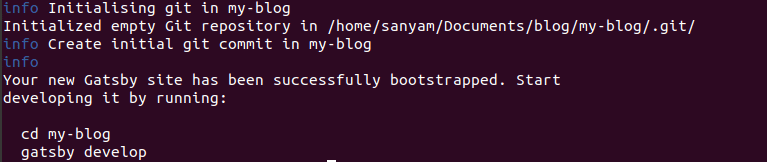
Now, Change the directory to the site folder:
cd my-new-blog
Startup the Gatsby Development Server using gatsby command:
gatsby develop
After a few seconds, you will see something like this in your terminal.
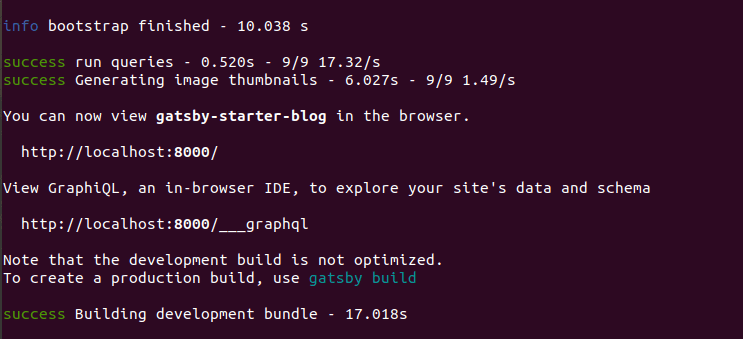
Keep your development server running and visit localhost:8000 in your default browser to access your newly created Gatsby Blog.
You can now deploy your Blog in Github Pages
Deploying to a GitHub Pages subdomain at github.io
Acc to the their website the easiest way to push a Gatsby app to GitHub Pages is by using a package called gh-pages.
so Install gh-pages package
npm install gh-pages --save-dev
For a repository named like <username>.github.io you just need to add a custom script (given below) in your package.json file, to makes it easier to build your site and move the contents of the built files to the proper branch(master) for GitHub Pages, this helps automate that process.
{
  "scripts": {
    "deploy": "gatsby build && gh-pages -d public -b master"
  }
}
After running command npm run deploy you should see your website at <username>.github.io
It's not the complete but the surely the starting point for development using Gatsby.
Visit Gatsby Website for more detailed documentationand tutorials.
If you like it, share it!